
Behind the arena · Design notes
Make it feel like a place to battle.
Inside the Pokemon Arena 2D scene update: six distinct settings, a clearer battlefield and a few details worth noticing in your next match.
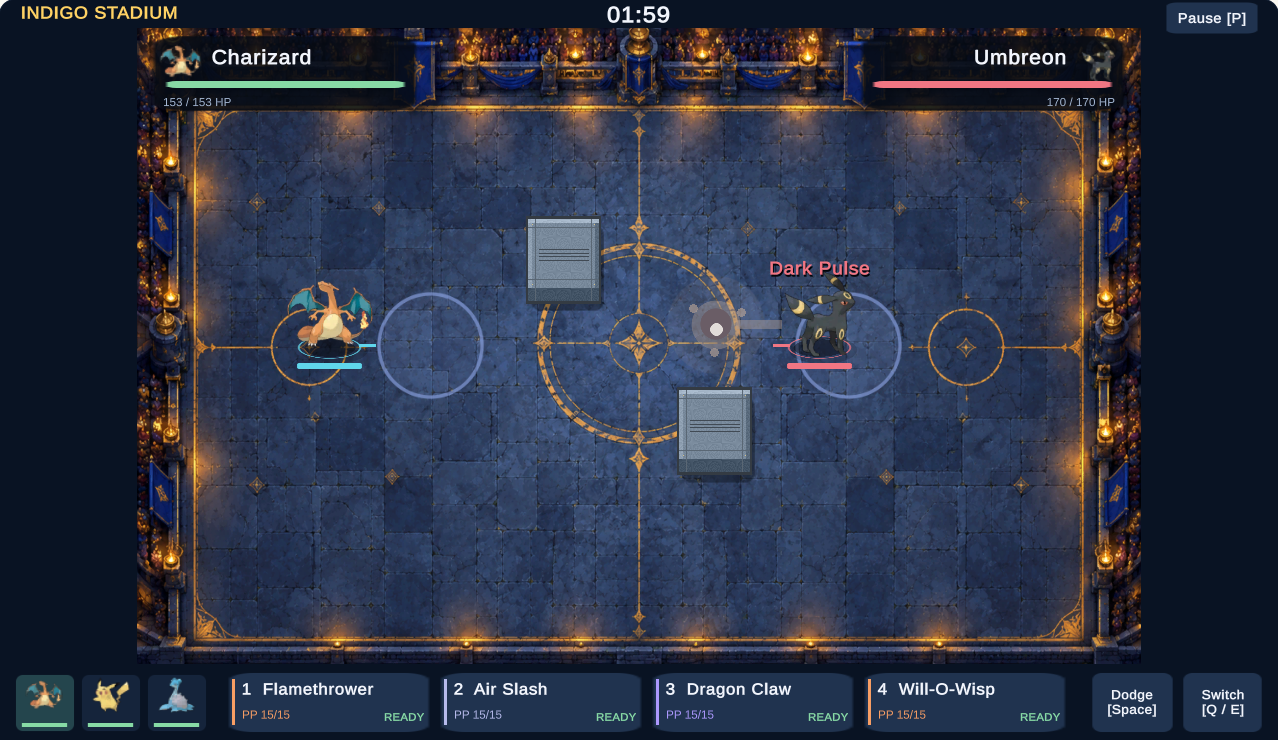
A battle can work mechanically and still feel like its characters are floating over a diagram. We wanted to give this arena a believable setting while keeping the next move easy to read.
The result is six new environments, a roomier desktop battlefield and more visible movement and attack feedback. This update changes the presentation of our independent browser edition; the existing combat rules remain in place.
01 / Space to fight
Give the edge a story. Leave the middle room to fight.
The earlier version already had a textured floor. Its problem was the overall composition: the arena looked like a small board surrounded by a large interface. Adding more floor detail alone would not address that.
We gave the complete battlefield more room on desktop, moved health information to the upper corners and made the lower control row more compact. A corner health panel becomes more transparent when a fighter passes beneath it. Touch play keeps its on-screen movement stick and larger controls.
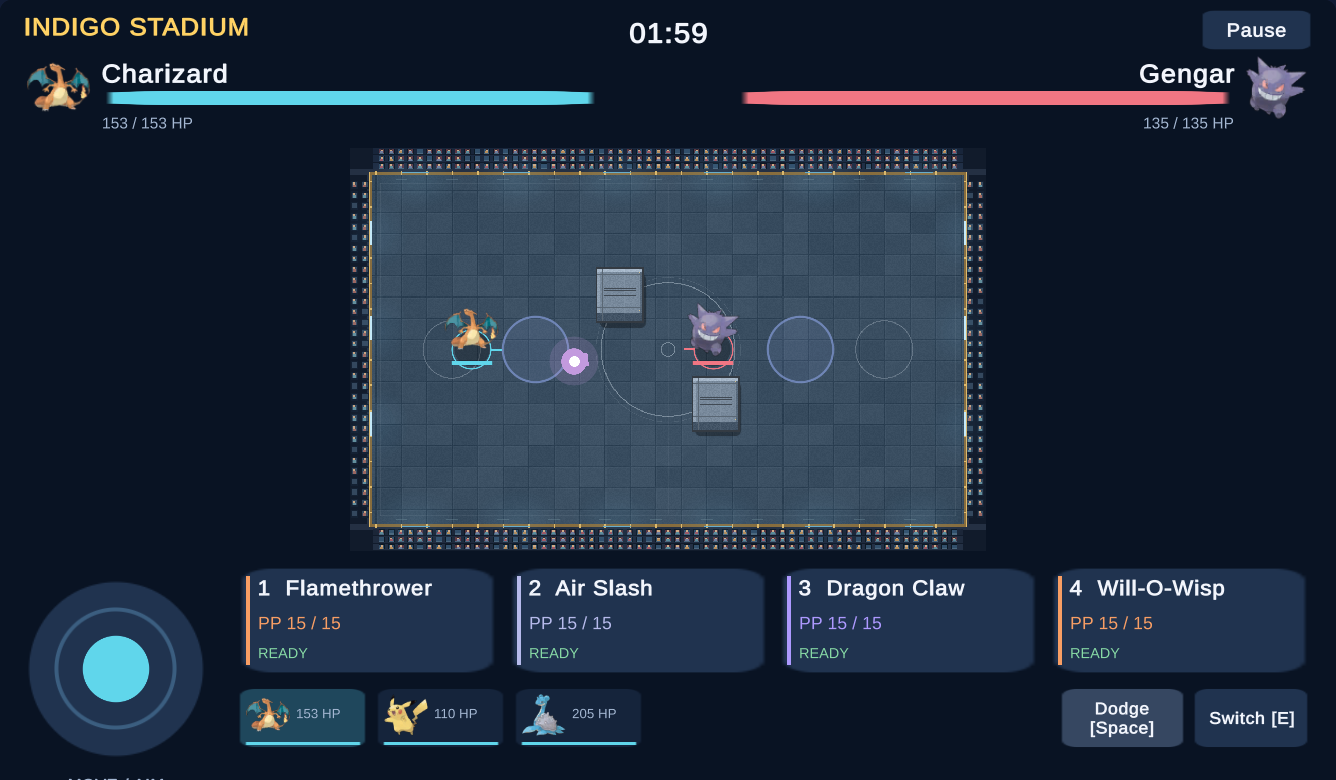
The scenery follows the same idea. Lamps, trees, sea and ruined columns give the perimeter its identity. The center needs enough visual quiet to follow a small moving character, its shadow and the next attack.
02 / A sense of place
Six settings. One readable fighting floor.
Each environment uses a different palette and boundary treatment. These are original AI-assisted artworks, imported into the game and reviewed in actual browser play. The images below are gameplay captures of the current browser edition.
Indigo Stadium
A stage for the first duel
Blue stone, warm lamps and a gold-and-indigo boundary give the stadium a ceremonial feel. The open floor remains the focus.
Try it Start here. Cross the floor and watch the ground shadow stay attached to your fighter.
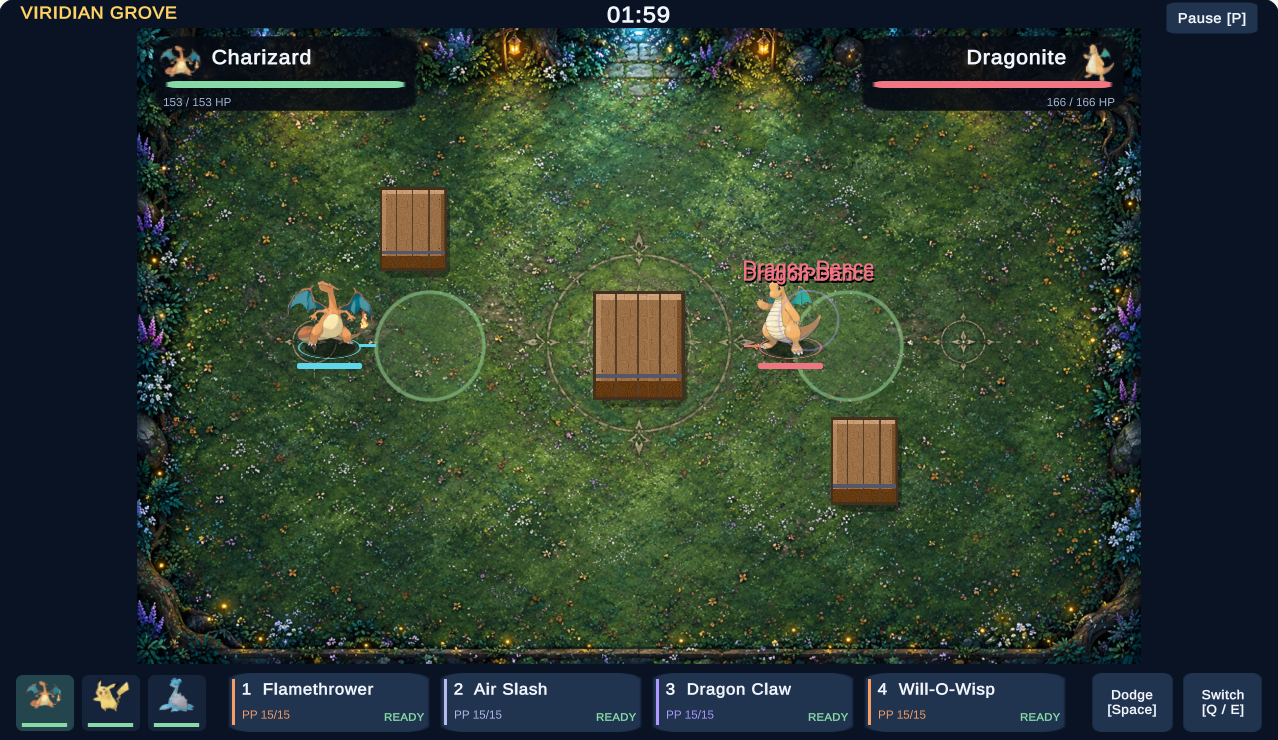
Viridian Grove
A softer, living edge
Grass and flowers carry the green palette, while trees frame the boundary. The raised wooden cover belongs to the live battle, rather than the painted floor.
Try it Follow your character against the green ground, then move around an actual wooden cover block.
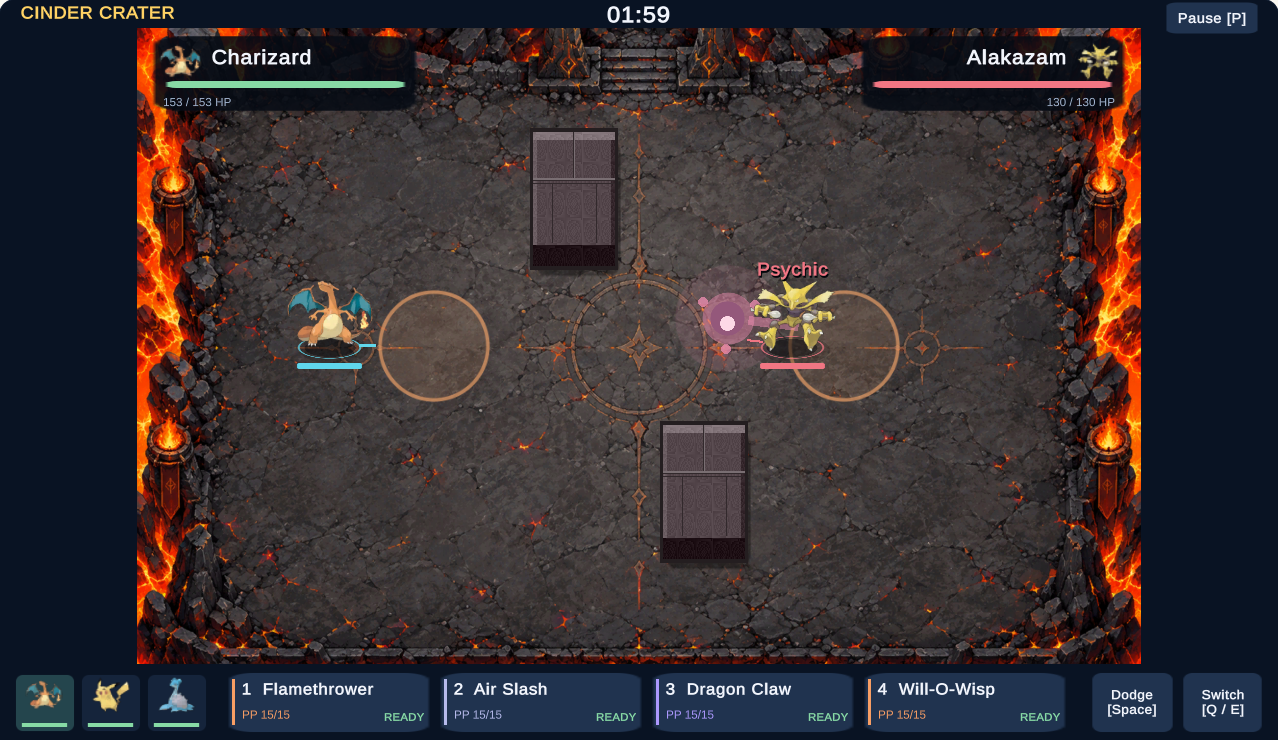
Cinder Crater
Warm edges, a quieter center
Bright lava surrounds a darker basalt floor. Keeping the brightest scenery at the edge leaves room for fighters and attack feedback in the middle.
Try it Watch a cast, then its damage text. Notice which draws your eye first: the perimeter or the action.
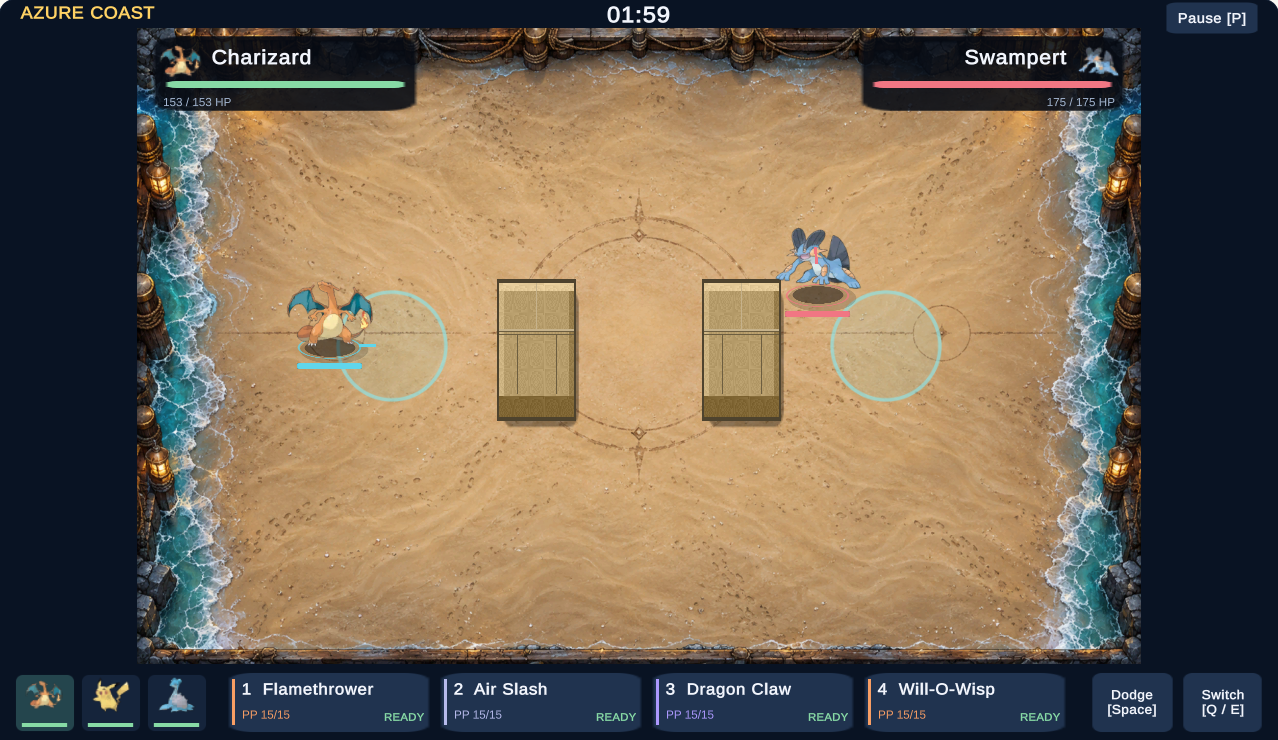
Azure Coast
A breath of light and sea air
Sand, sea and wooden perimeter railings make a bright alternative to the crater. The actual cover blocks use sandstone; the scenery does not change their rules.
Try it Repeat a familiar movement route. Compare the bright sand with the crater’s dark rock.
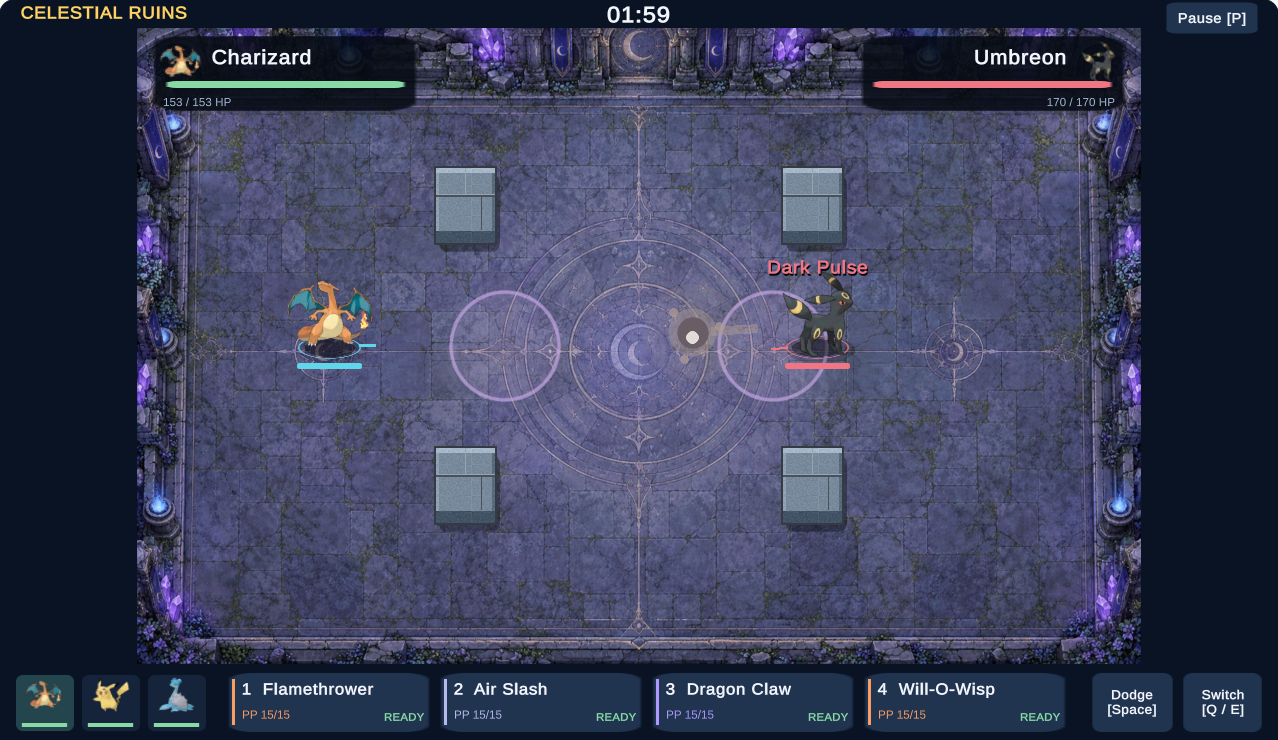
Celestial Ruins
A place with a little history
Cracked stone, moss and purple crystals suggest an older arena. Raised stone cover remains distinct from the decorative cracks beneath it.
Try it Identify the real cover blocks before attacking. Painted cracks and crystals are setting, not collision boundaries.
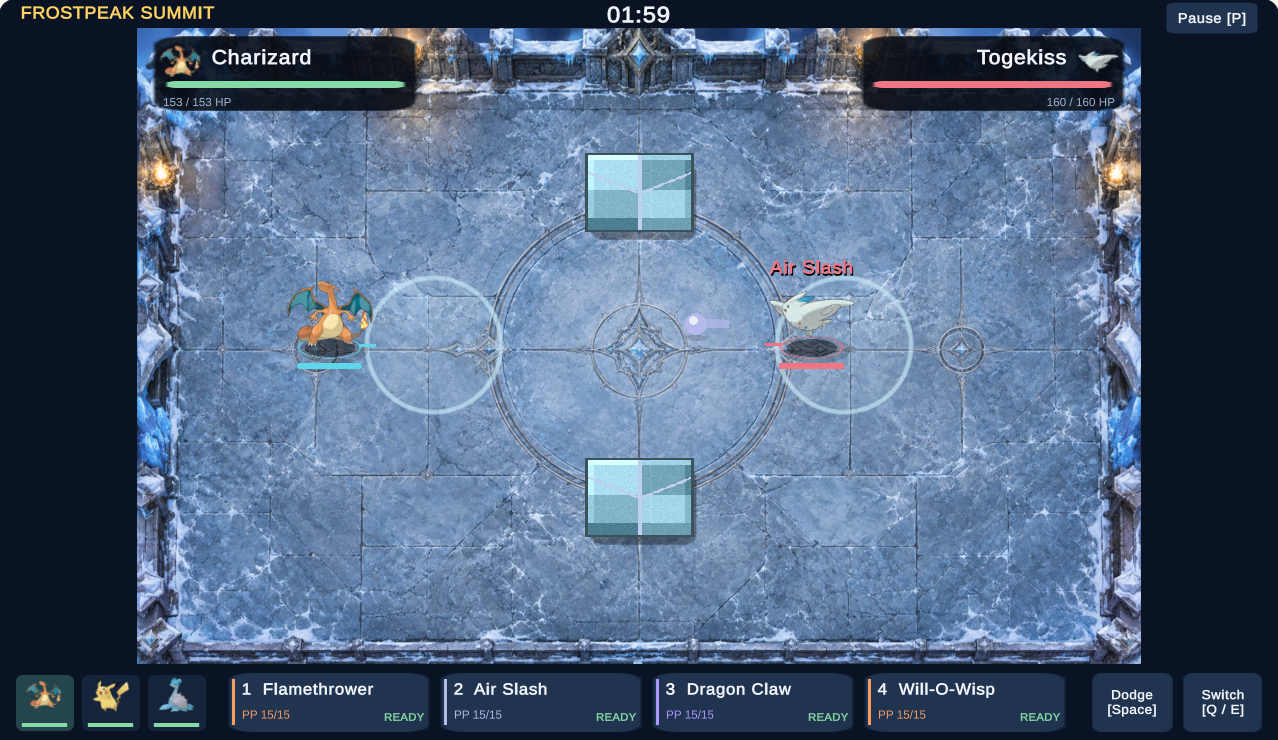
Frostpeak Summit
Cool light, clear silhouettes
Icy tiles, a snowy perimeter and lit columns shift the atmosphere again. This is a visual setting; the icy artwork does not add sliding physics.
Try it Try it after the warm crater. Follow a move’s effect and its damage text against the cool floor.
Decorative lava, water, cracks and snow do not introduce new hazards or collision rules. Actual cover and active field indicators tell you what affects the fight. Compare the arena effects
03 / Make the outcome visible
A cast is a moment. A hit is a result.
Contact shadows help show where a fighter meets the floor. Restrained movement and casting motion add presence without changing its underlying position. Brief hit text and cover effects then help explain what happened.
There is a useful distinction here: spending PP confirms that you used a move. It does not, by itself, confirm that you hit the opponent. Cover may intercept the attack. Check the target’s HP and the damage feedback as well.
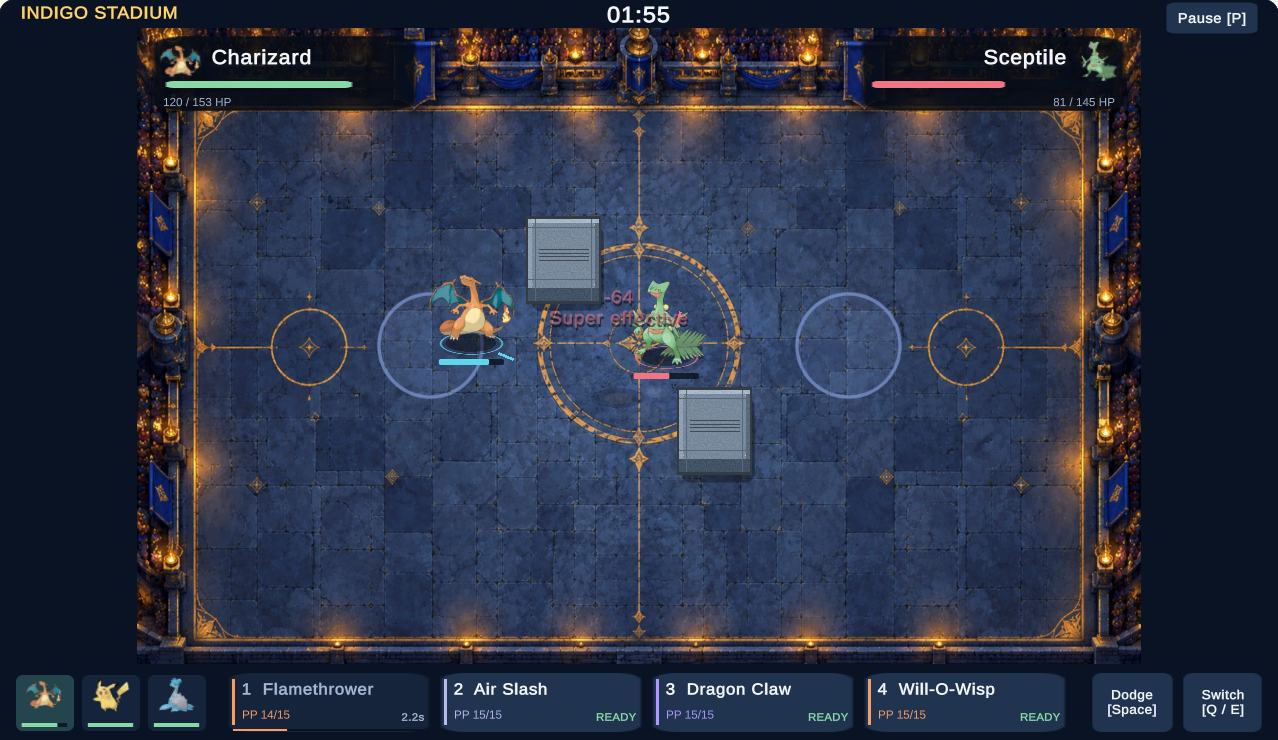
That distinction also appeared in our live-site check: a cast spent PP and damaged cover while the opposing Pokémon’s HP stayed unchanged. Effects should help you understand an exchange, rather than stand in for its outcome.
04 / Your next match
A short arena observation challenge
You do not need to inspect every detail at once. Try these three small experiments, then decide which setting makes the fight easiest for you to follow.
Find your footing.
Choose Indigo Stadium in Quick battle. Move with WASD or the arrow keys and follow your fighter’s ground shadow. Movement also sets the direction you aim.
Cast once. Read twice.
Face your target and use a move with 1–4. Check both PP and the opponent’s HP. Try Space to dodge; pause with P or Esc when you want time to inspect the scene.
Change the setting.
Return to the game menu and choose another arena. Compare Grove with Crater, or Coast with Summit. Repeat the route and watch the same feedback. On touch screens, use the movement stick and move cards; landscape may give you more room.
From reading to playing
Which arena feels right to you?
Open the player, choose Play, then pick an arena in Quick battle. Game files load when you choose Play.
Behind these notes
This article documents browser build 008. We reviewed all six scenes in the exported game, tested keyboard play and browser-emulated portrait and landscape touch layouts, and replayed a Stadium match on the live site. We have not measured performance on every phone or established a retention improvement.
The browser edition is an independent Unity implementation with illustrated fighters and original environment art. It is not a WebGL conversion of the Empress Windows release. This scene update preserves the existing movement, combat, collision and AI rules.
For the underlying record, see our scene update and verification notes and screenshot provenance.